PCI CF280X Compatible Toner Cartridge for HP LaserJet Pro Printers
source: Time:2026-10-29 views:33
PCI CF280X Compatible Toner Cartridge for HP LaserJet Pro Printers
So your LaserJet Pro is asking for toner again, and you're weighing the OEM price against a compatible. This PCI CF280X is a solid middle path — a replacement built for the same cartridge format, at a price that doesn't make you reconsider the whole printer. One thing before you buy, though: confirm your exact model. "LaserJet Pro" covers a lot of machines, and not all of them take this cartridge.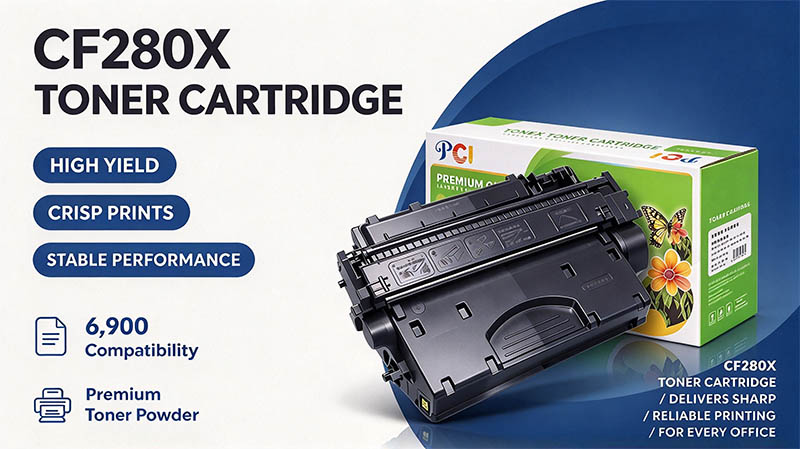
Will the CF280X fit your printer?
Here's the rule that saves people a return label: match the cartridge reference first, then the full model number. HP lists CF280X — also called 80X — as an extended-capacity black toner for the LaserJet Pro 400 M401 series. If that's your machine, you're in the right place. If your printer just says "LaserJet Pro" on the front, that's not enough to go on.Run these three checks before you order:
Cartridge reference. Look for CF280X or 80X on the cartridge you're replacing, or in the printer's supply information.
Full model number. Include any trailing letters. Matching only "LaserJet Pro" is how wrong orders happen.
Product type. This is a PCI compatible replacement — not an HP-branded original. It does the same job in the printer, but it's a different product, and the listing should be clear about that.
If you're buying for a shared office, jot the printer model next to the cartridge reference in your records. The next person ordering supplies will thank you, and nobody ends up choosing by box color.
Built for the everyday document grind
This is the cartridge for the printer that handles invoices, internal reports, worksheets, and customer paperwork. A month-end reporting pack, a batch of onboarding forms, a stack of shipping docs — that's the workload it's meant for. Whether you print a handful of pages at a time or assemble larger batches, the starting point is the same: a confirmed cartridge match.
Keep the model number and supply reference with your purchasing records. Future orders get simpler, and you stop re-learning the same details every time toner runs low.
High yield: what it means here, and what it doesn't
HP classifies the original 80X CF280X as high yield. That tells you how HP categorizes its own cartridge — it doesn't automatically transfer to this PCI replacement. Check the page yield stated on the PCI product itself before you estimate how long it'll last. Assuming the OEM number applies is a quick way to be surprised.
When you're comparing toner deals, look past the headline price:
Listed yield — use the figure for the specific PCI product, not an HP spec
Pack contents — confirm how many cartridges are actually included
Total cost — current price plus any delivery charges
Purchase support — read the seller's return terms and product coverage before checkout
Those four items tell you more than a big discount badge ever will.
Order with confidence
Make your next supply order specific: PCI brand, CF280X reference, and a printer model you've actually confirmed. Review price, availability, and specs together before you commit. That keeps the purchase focused on what your printer needs — no assumed savings, no invented page counts.Match your model, check the yield, and order the PCI CF280X for your next replacement. Straightforward supply buying, without the guesswork.